We hosted a live webinar on ValPay and what’s coming to Parachute, and you brought plenty of questions. Here are answers to some of them, in plain language.
The short version: If you already take payments in Parachute and haven’t finished setup, you need to set up ValPay. Setup takes about 10 minutes, plus an ID check. If you’ve never taken payments in Parachute, sign up with ValPay to use payments!
Yes, if you haven’t already. You need to set up ValPay. It isn’t automatic.
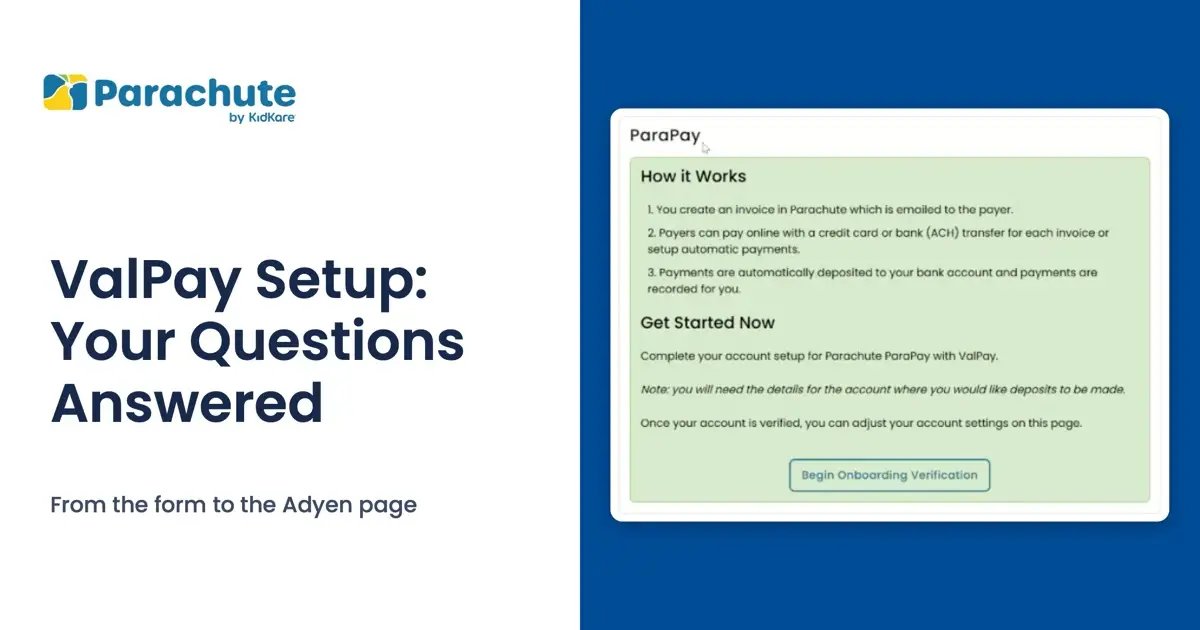
Sign up with ValPay to use payments! Go to Settings, then Subscription & ParaPay, and select Begin Onboarding Verification. It takes ten minutes.
Once you’re approved, you can send your first invoice to parents, have them add their card and get them on autopay, so you don’t have to chase them. Deposits land in your bank account in one or two days.
Your families will need to add their cards again, and payments through your current setup will end in December.
Check everything before you submit, because you can’t edit the form from Parachute afterward.
You’ll enter both. Your business name, or doing business as, is what families know you by. Your legal name is the one on your tax paperwork.
It’s your business name, such as the name of your daycare or center. The store address is your business address.
Enter what you expect to receive in tuition from parents over the year. It’s an estimate, so rounding is fine. Use a whole number with no decimals, commas or dollar sign.
It only needs to be in the right range. If you’re not sure, use the amount before taxes.
Once you’ve submitted, changes go through our support team, so email support@kidkare.com and we’ll help.
After you submit the form in Parachute, a new page opens from Adyen, the company that processes ValPay payments. That’s expected. This secure page is where you confirm who you are and add the bank account for your payouts.
The page explains that federal law requires financial institutions to identify the people and businesses that open an account. That’s why it asks for your name, address, taxpayer ID number and other details.
You’ll see a list called “Set up your account.” Work through each item:
Finish each item until none says “Add,” then use the button at the bottom to go back to Parachute. To stop partway, select “Save and go to overview.”
That’s how your payouts reach you. You enter them on the Adyen page, not in Parachute. Parachute never sees your bank details and never holds your money.
Yes. Look for the “View onboarding page” button in the ParaPay panel, or use the link in your verification email, so you can finish later or on another device. Your account stays unverified until you finish that page.
You can upload a bank statement instead of logging in to your bank. The account has to be in your name or your business’s name. If you’re still stuck, email support@kidkare.com.
That’s expected after you submit. If you didn’t finish the verification page, use the “View onboarding page” button. Approval usually takes about 48 hours, and uploaded documents may take a few days. You can refresh the tab to check your progress. Keep an eye on your inbox and your spam folder for email from no-reply@mail.adyen.com in case anything else is needed.
You’ll get an email that says you’re approved, and your Settings page will show “ParaPay Onboarding Verified!” Being approved isn’t the same as being turned on, so there’s one more step:
Make sure the ParaPay Enabled switch is on, then save.
Go to Settings, then Subscription & ParaPay.
Select Edit at the top of the page.
Payers can pay online with a credit card or bank (ACH) transfer for each invoice, or set up automatic payments. Payments are automatically deposited to your bank account and recorded for you.
When we asked what’s the hardest part of running your program, the top answer was too many tools, too much admin. The goal with the new Parachute is not to give you another tool to manage. It’s to bring everything together, for family child care home providers and childcare centers:
No, they’re separate. The waitlist is for the new Parachute. If you already take payments in Parachute, you still need to finish your setup.
Join the waitlist for the new Parachute.
Thanks to everyone who joined us and asked. You don’t need a call to set up ValPay, but we can help if you’d like a hand. Email support@kidkare.com.