Running a childcare business means doing two jobs at once: caring for children, and running the business around them. The new Parachute takes on more of the second one. Families find you, enroll and pay online, and your day runs from one place, whether you run a childcare center or a family child care home.
Below you’ll find each part of the new Parachute, what it does for your day, and answers to the questions providers ask us most.
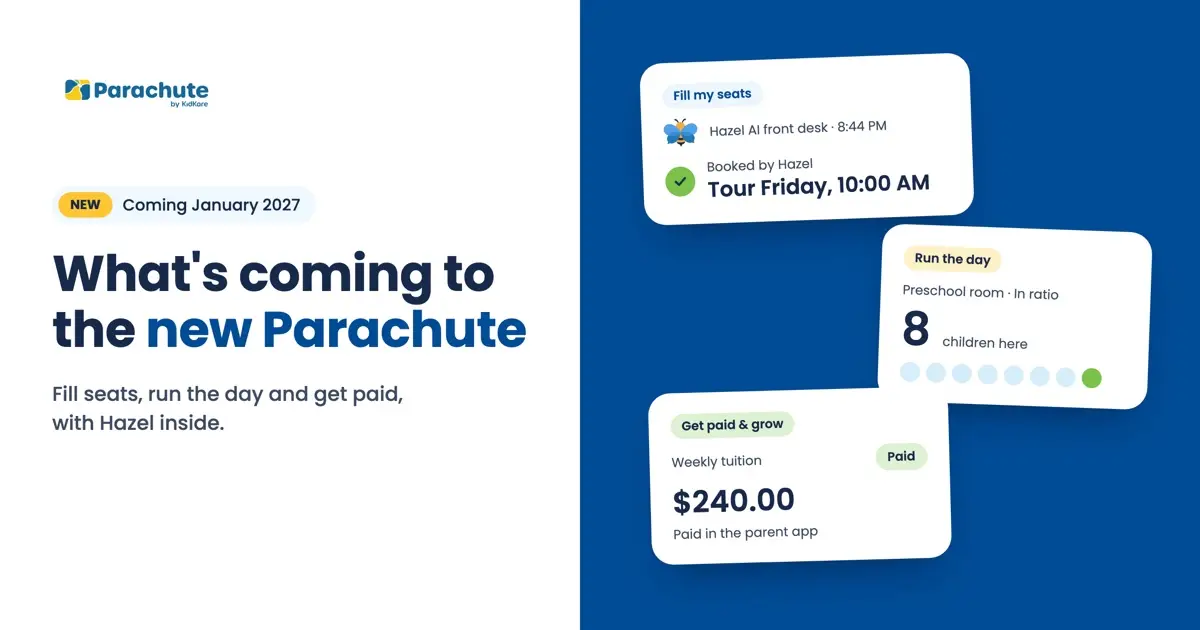
What’s coming to Parachute in January 2027: The new Parachute helps family child care home providers and childcare centers fill seats, run the day and get paid, with Hazel by KidKare inside: an AI front desk that answers your calls and books tours, and an AI chat that answers from your own records. And you don’t have to wait for January to get paid online: you can start taking payments in Parachute today.
Every unanswered call is a family you never get to meet. Here’s how the new Parachute takes a family from that first call to a signed enrollment packet.

Hazel, our AI front desk, picks up 24/7 on your own number, even after you close, and books the tour while the family is still on the line. Your teachers should teach. Your director should lead. Hazel can answer the phone. (Hazel is available on its own today and is coming inside the new Parachute.)
Families choose a tour time right from your website, and it lands on your calendar without a single phone call. Your inquiry and waitlist forms can live there too, or on your Facebook page.
Calls, texts, emails and chats all land in one inbox, with the next step for each family ready to go, so fewer families slip through on a busy day.
Families apply online on their own time, so your waitlist is ready before you need it. When a seat opens, you offer it to the next family in line.
Send the packet and get it back signed, with nothing to print. Parachute turns the PDF you already use into a form parents fill in and sign on their phone, and reminders go out on their own before a form expires.
A call-out, a ratio question and a parent message, all before 9 a.m. Here’s how the new Parachute keeps the day on track, from the first drop-off to the last pickup.

Know who’s here the moment they walk in. Families check in at a kiosk, at the door or on their phone, and every room keeps its ratio in view. If a room goes over, you’ll know, and one tap finds cover. Someone else picking up today? A one-day pickup code covers it.
A teacher calls out? Text the open shift to substitutes whose credentials are current, and the first to accept takes it.
Send today’s photo, and every parent reads your message in their own language. The brand-new parent app brings photos, daily updates and messages together, translated both ways.
Incident reports get signed the same day, right on the parent’s phone. Vaccine records, allergies, medication forms and fire drill records live in one place, so they’re there when you need them.
Next week’s plan, drafted with Hazel from your own lessons and ready for your OK. When a child reaches a milestone, their family sees it that same day.
Nobody should have to ask twice for tuition. And getting paid online doesn’t have to wait for the new Parachute: you can start today.

Set your weekly, monthly or per-day rates once, then bill a whole classroom at once, sibling discounts included. Parachute catches children who weren’t billed, and late fees go on a bill only after you approve them.
Families pay from a link or the parent app, and their balance updates on your side the minute they do, so you’re not reminding anyone at pickup.
Subsidized families and their agency each get their own bill, with each share already worked out. Agency staff confirm the children they cover in their own portal.
See where every month stands against your budget, with over-budget months in red and your income by source.
Snap the receipt before you leave the store, and Hazel reads every line for you to check and save. Your cook can do it too, without seeing your books.
Ask who’s unpaid this month, in plain words, and get the list. Parachute builds the chart and table from your own records and can send the reports you check often on a schedule.
You don’t have to wait for January to get paid online. Families can pay your invoices by card or bank account, straight from the invoice, or with autopay. Payouts reach your bank in 1 to 2 days.
To set it up, go to Settings, then Subscription & ParaPay, and select Begin Onboarding. Setup takes about 10 minutes, plus an ID check. For every step, read ValPay setup in Parachute: your questions answered.
Stop digging for answers. Ask Hazel a question, like “How does today look?” or “Which invoices are overdue?”, and Hazel answers from your Parachute records. Tell Hazel what to do, like “Send payment reminders,” and you confirm before anything goes out. Type it, or talk to Hazel when your hands are full.
Our favorite question for Hazel is the one you’d ask once the last child heads home: “What’s left to do?”

On Food Program by KidKare? Your records are already there: attendance you take in Parachute links to your meal counts, and receipts reach KidKare. In the new Parachute, Food Program forms start mostly filled in.
See every center side by side in the new Parachute, with applications and waitlists added up across them.
No. You can keep using the Parachute you know, online payments included, and move to the new Parachute when you’re ready. Joining the waitlist is the easiest way to tell us you’re interested.
No. Joining the waitlist doesn’t commit you to anything, and your current Parachute account stays the same.
No, they’re separate. The waitlist tells us you’re interested in the new Parachute. Payments you can set up in Parachute today: read ValPay setup in Parachute: your questions answered for every step.
Yes. In the new Parachute, you choose how often to bill: daily, weekly, every two weeks or monthly. You also choose the rates and the start and end dates.
Yes, in two ways. Edit the invoice and add a line item, or void it and create a new one. If you know about a change ahead of time, you can add it to future invoices before they go out.
Yes. Each household can carry a credit. When the invoice goes out, the credit shows at the bottom as an amount taken off what the family owes.
You invite them. In the new Parachute, select the parents you want from your guardians list and send an invitation. Parents open it and add the app to their phone or computer.
Want the new Parachute for your childcare business? Join the waitlist to tell us you’re interested, and you’ll be on our list when it opens.
Want the full tour first? Watch the webinar recording, with live demos of the new Parachute and questions from providers.
Questions about taking payments in Parachute today? Email support@kidkare.com.