
CACFP · Menu & Food List
Menu & Food List
Control the foods your participants can select when recording menus.
Decide what can and cannot be served — and enforce it. A standardized, state-controlled food list keeps every menu creditable and cuts the time reviewers spend verifying.
At a glance
Managing your food list has never been easier
Standardized, state-controlled food list built into KidKare.
Centralized, re-usable, and scheduled menus.
Production records with estimated, actual & leftover quantities.
Individual infant menus for the developmentally ready.
Food combination rules and reporting.
Grain Ounce Equivalents calculations.
Capabilities
Six ways KidKare keeps menus creditable
01
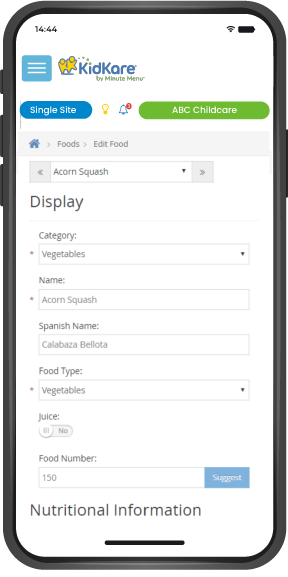
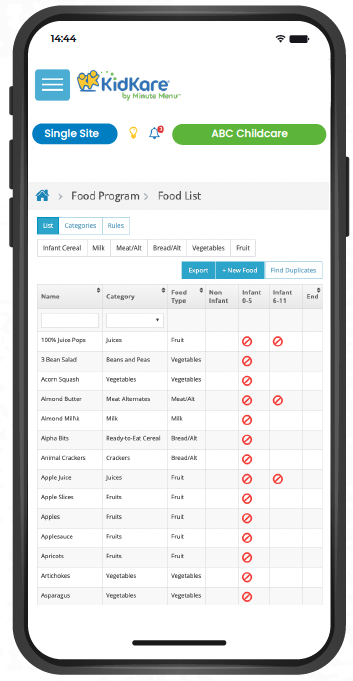
Standardized State-Controlled Food List
- A custom state-controlled food list based on Food Buying Guide foods.
- State reviewers can be confident that all menu items are creditable.
- Participants select foods to build menu templates, daily menus, or re-usable/centralized plans.
- Eliminates non-creditable items and reduces verification time.
- Doubles as a training tool for new participants.
State-controlled food list
02
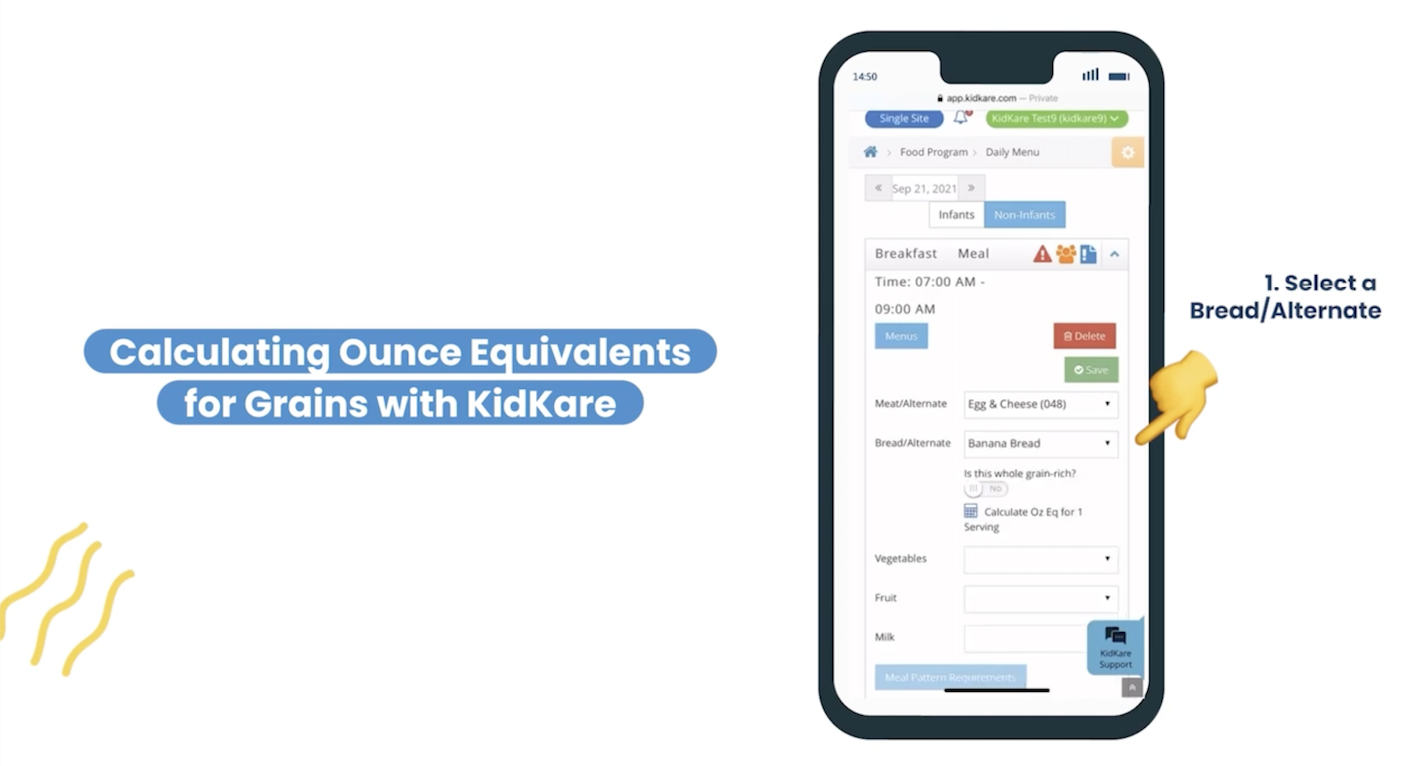
Grain Ounce Equivalents
- Once the state approves the food list, every grain item includes the correct ounce equivalents.
- Tools help sponsors proactively navigate new USDA requirements ahead of mandates.
Grain ounce equivalents
03
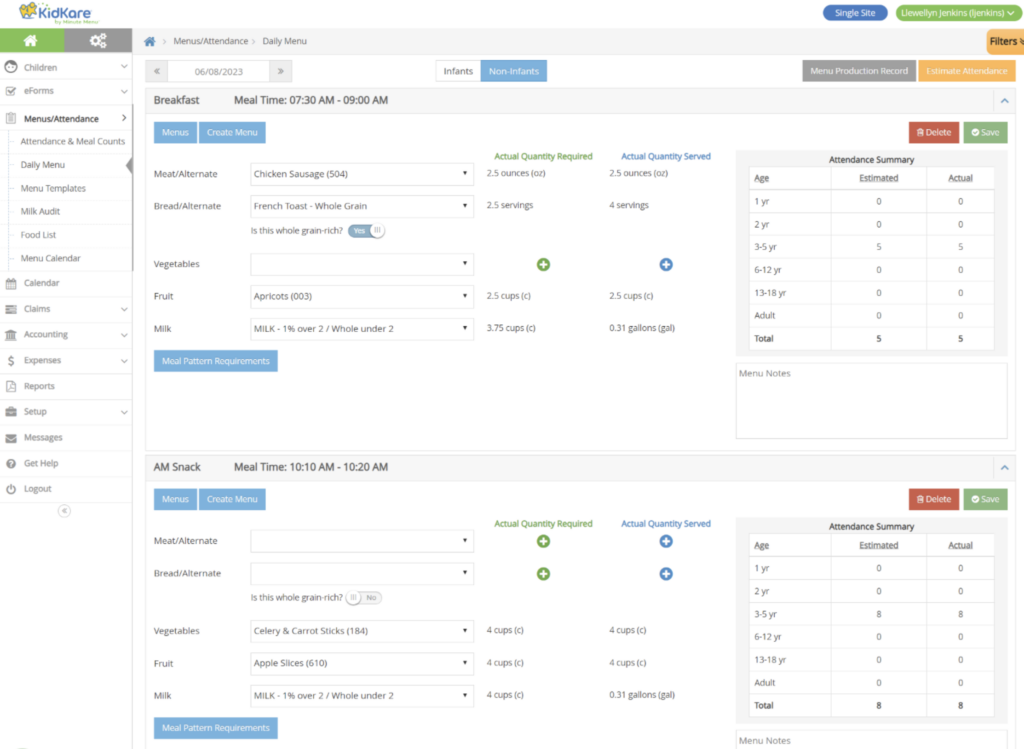
Daily Menu
- Accessible from the menu calendar or left navigation.
- Participants select items from the standard food list to meet meal-component requirements.
- Meal pattern requirements available as a quick on-page reference.
- Actual quantities required calculate automatically once meal counts are recorded.
- Estimate quantities by applying attendance trends to selected menus per the USDA meal pattern.
- Record actual quantities served when the meal is ready for delivery.
Daily menu
04
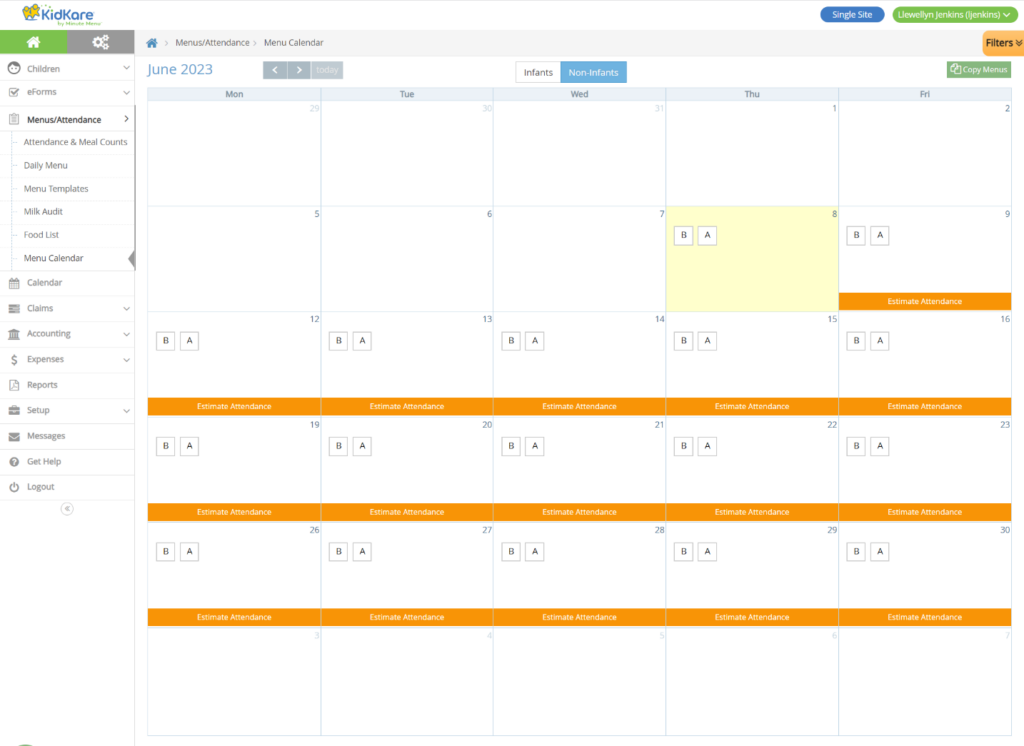
Menu Calendar
- A bird's-eye view of all meals planned for infants and non-infants.
- Create reusable or cycle menus by copy/pasting a day, week, or full month.
- Customizable warnings: incomplete menus, missing estimated attendance, missing actual quantities served.
Menu calendar
05
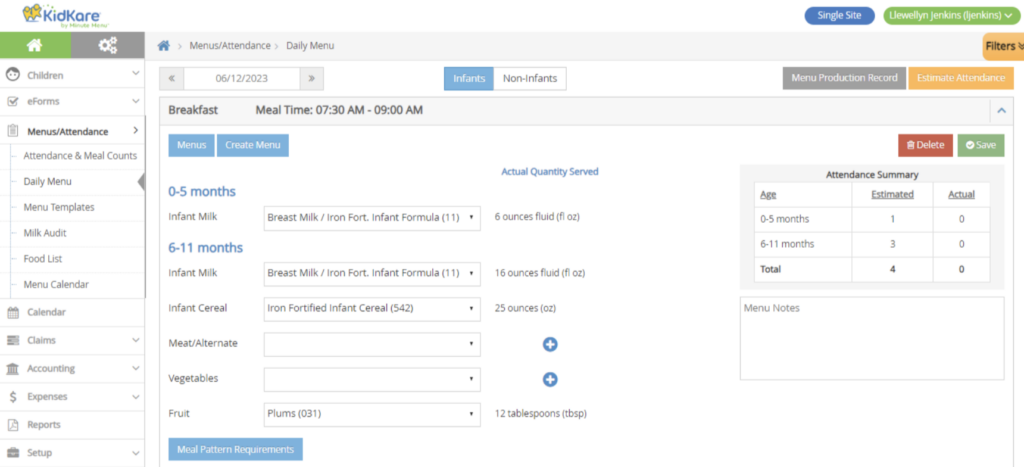
Individual Infant Menus
- The first infant menu recorded for the day becomes the default.
- Tap the fork/knife icon to record an infant meal count and open the infant menu pop-up.
- If fed outside the default, toggle the food group and record developmentally-ready items.
- Record quantities as needed.
Individual infant menus
06
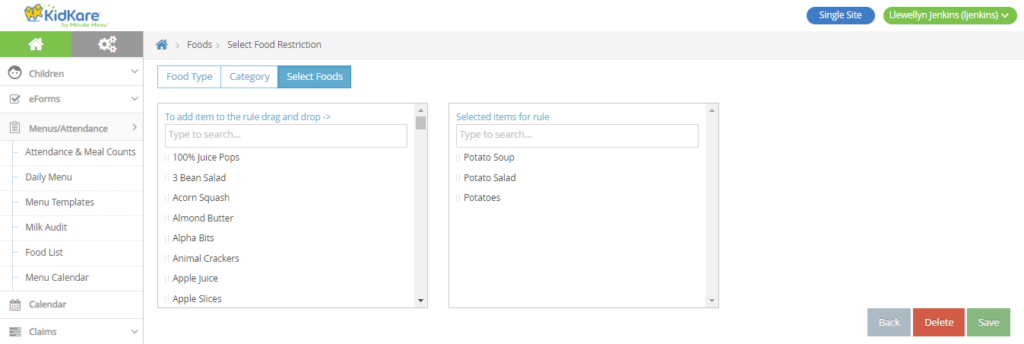
Food Combination Rules
- Create a rule for any two food items or a group of foods — e.g., french fries and mashed potatoes, or starches like potato soup, potato salad, and potato.
- Set actions to Warn or Disallow; they display on the Office Error Report after the claim is calculated.
Food combination rules
Interactive demo
Build a creditable menu
Click through a guided prototype of building a menu from the state-controlled food list — no login required.