
KidKare eForms
Digital enrollment forms that eliminate errors & strengthen program integrity.
Send eForms to parents and take paper out of the equation — guided completion, full visibility from invitation to certification, and an audit trail on every signature.
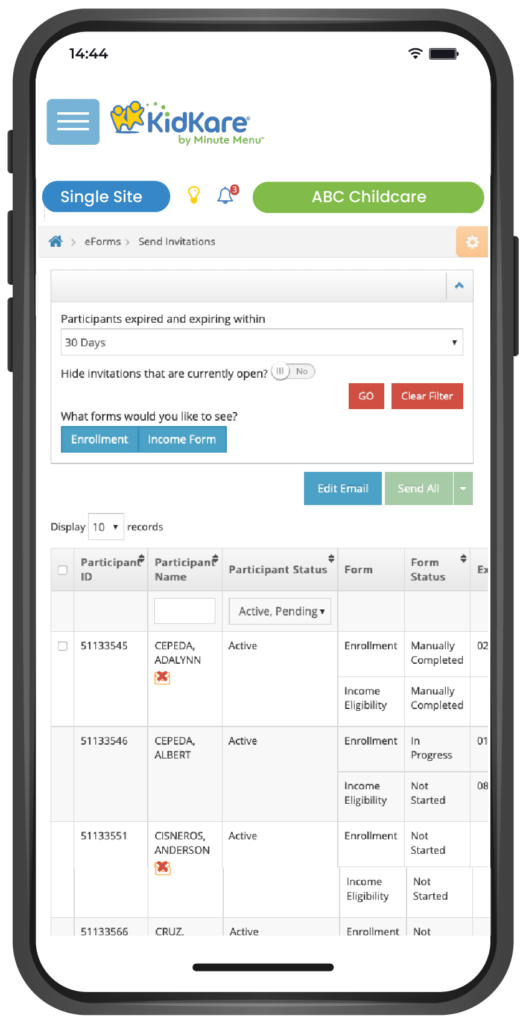
Built for parents, sponsors, and state reviewers
Guides parents through form completion, start to finish.
Parents feel it is more confidential than paper.
Visibility from invitation through certification.
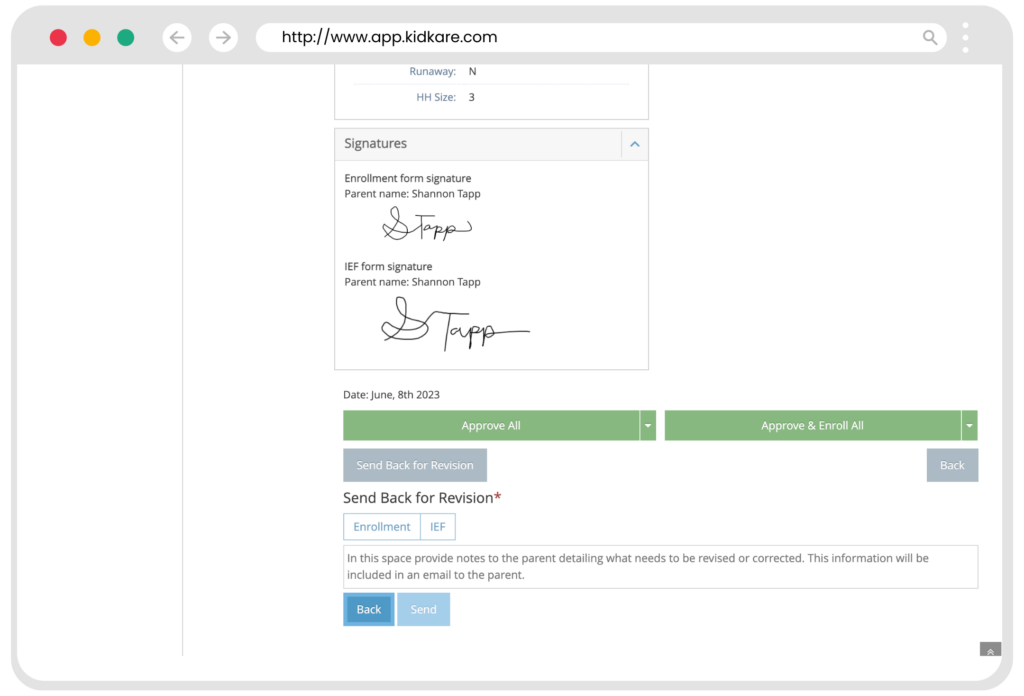
Device IP address stored at the point of signature.
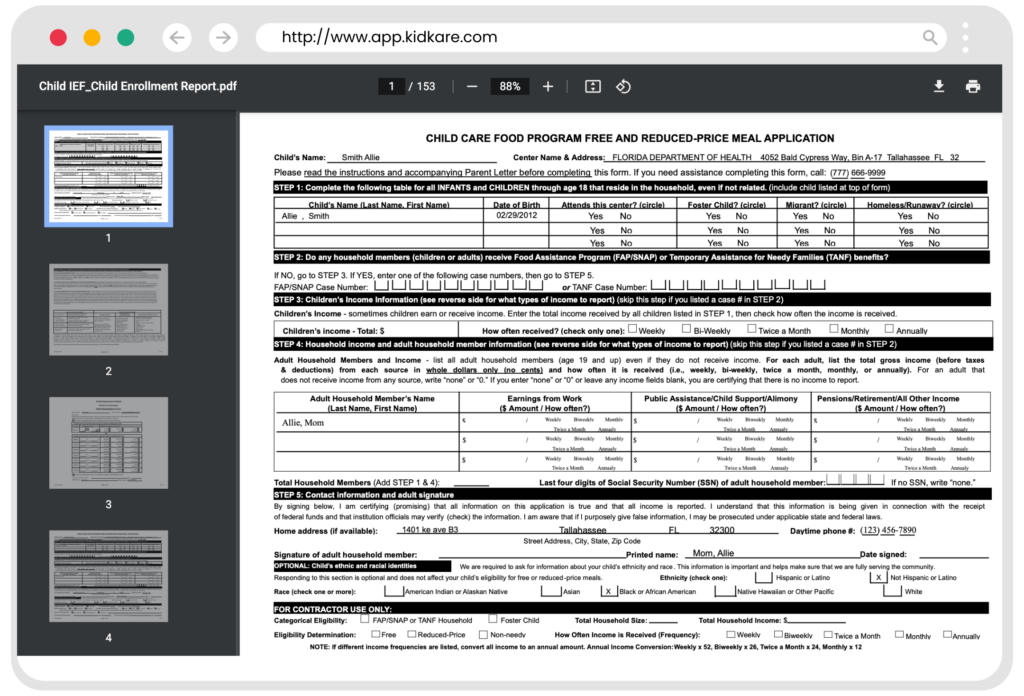
Export enrollment & Free & Reduced-Price forms as PDF.
SNAP/TANF case number validation built in.
A large affiliated center chain saw up to a 95% reduction in staff effort — valued at more than $1 million — after implementing KidKare eForms, supporting the USDA Paperwork Reduction Act.
How eForms works
Six steps from enrollment invite to state reporting — every action dated and time-stamped for the audit trail.
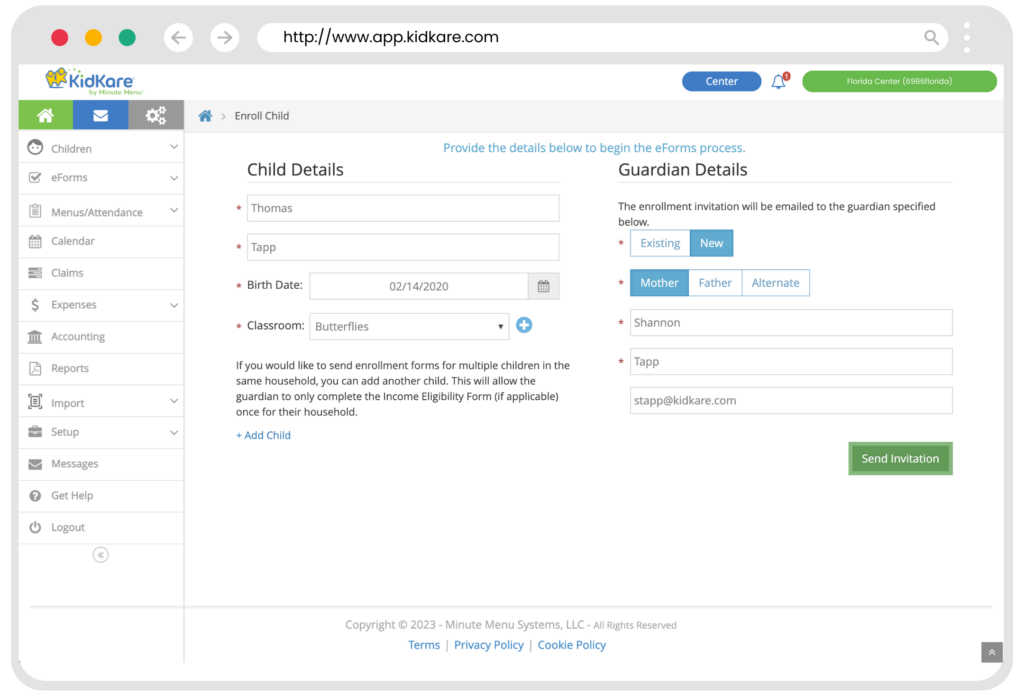
Providers & Centers Enroll a Child
The center or provider enters minimal child and guardian info, then invites them to complete the Free & Reduced-Price application online.
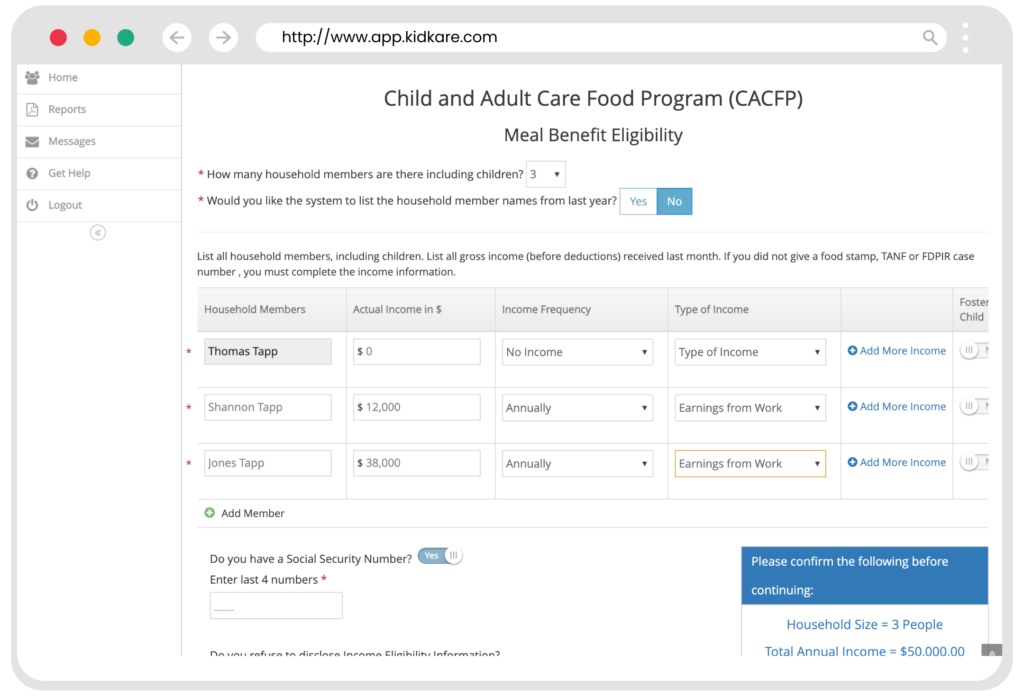
Parents Invited to Complete Online Enrollment
A customizable email invitation asks the parent to complete enrollment and IEF information online through KidKare.
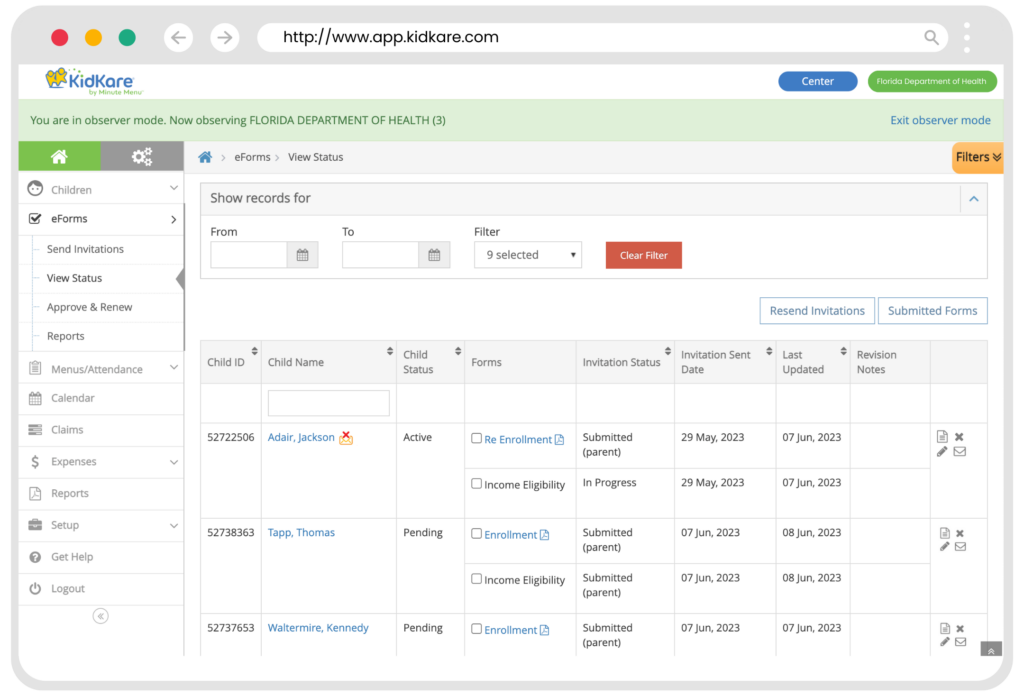
View Status & Progress
State personnel and sponsors track every eForm via Observer Mode to offer technical assistance — each activity dated and time-stamped.
eForms Submitted to the Center/Home
Once complete, the parent receives a copy by email and the Center/Home can access and review the forms in KidKare.
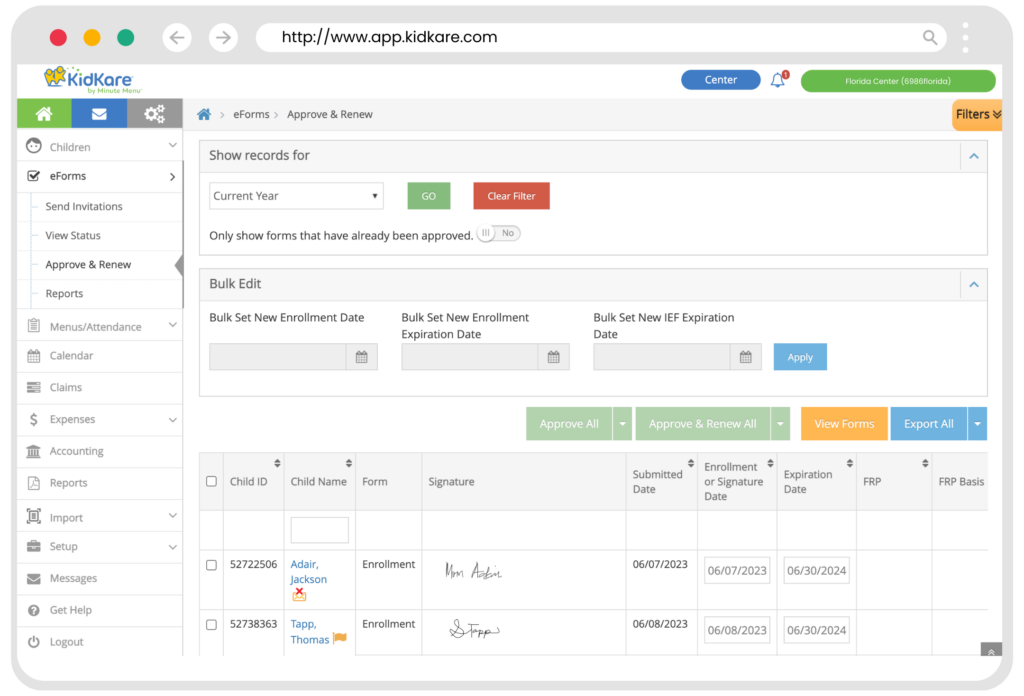
Approve or Send for Revisions
Centers and homes review forms, then choose when and how to approve and renew — or return to the parent with a customized comment.
Reporting
States can export renewal information and run a variety of enrollment or eligibility reports.
Try eForms yourself
Click through a guided prototype of the eForms experience — no login required.