CACFP Receipts and Milk Audit
Receipts can be entered any time before the end of the claim month.
Verify that funds are spent appropriately, confirm sites entered their expenses, and tie receipts directly into the milk audit.
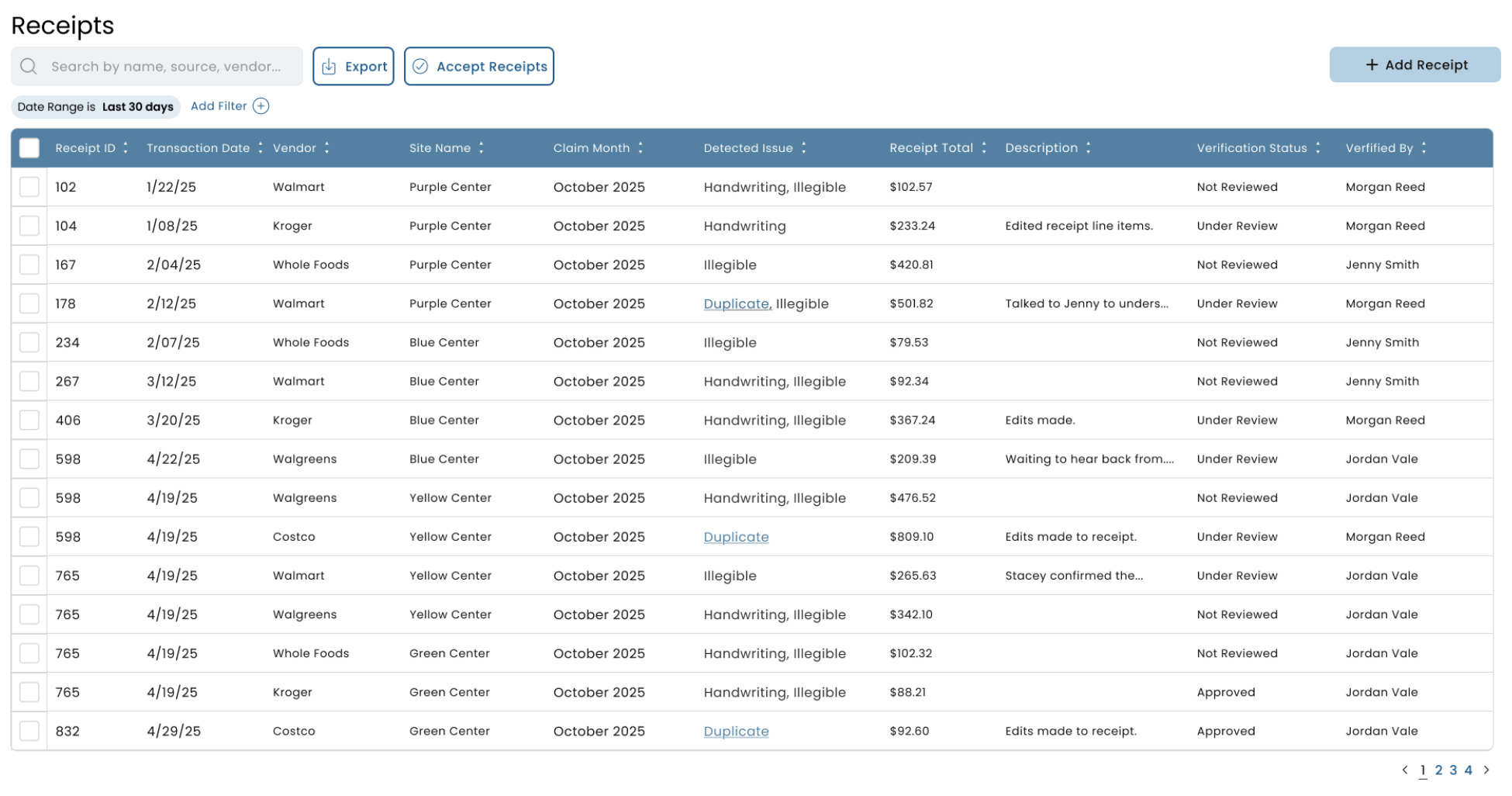
Every receipt checked the moment it’s uploaded
KidKare reads each receipt snapped in Parachute, checks for signs of tampering and duplicates, and puts only the receipts that need a closer look in front of sponsors and you.
One review path, site to sponsor to state
Each level reviews on one screen that opens to the receipts needing attention first. When a sponsor submits the claim, that month’s receipts lock and come to you. For independent centers, your team does the sponsor’s review too.
The same receipt can’t be claimed twice, anywhere
These details form a fingerprint that’s checked against every receipt in KidKare:
If some of those can’t be read, the rest are still used. A receipt reused, shared between operators or found online shows up beside its match on the Duplicates page. Sponsors see matches within their own centers, and you see every match across all sponsors.
Flagged for a second look
Each upload gets its own Receipt ID and is scanned end to end. A receipt can carry more than one flag, and no flag stops anyone from saving it. Flags put it in front of a reviewer.
Sponsor and state review, side by side
| Sponsor | Your team | |
|---|---|---|
| Covers | All of the sponsor’s centers on one Receipt Verification screen | Every sponsor and independent center in the state on one screen |
| Opens to | Unreviewed receipts with a detected issue | Receipts submitted for approval with a detected issue, with an “X of Y Receipts Need Review” count |
| Can do | Compare the image with the line items, correct line items and categories, add internal notes the center can’t see, and accept receipts in bulk | Filter by sponsor or center, status, flag type, date and reviewer |
| Statuses | Not Reviewed → Under Review → Accepted or Rejected | In Final Review → Approved or Denied |
Turned on for your whole state
Once Receipt Capture is on, it covers every sponsor, center and independent center in the state, and your team sees all of it.
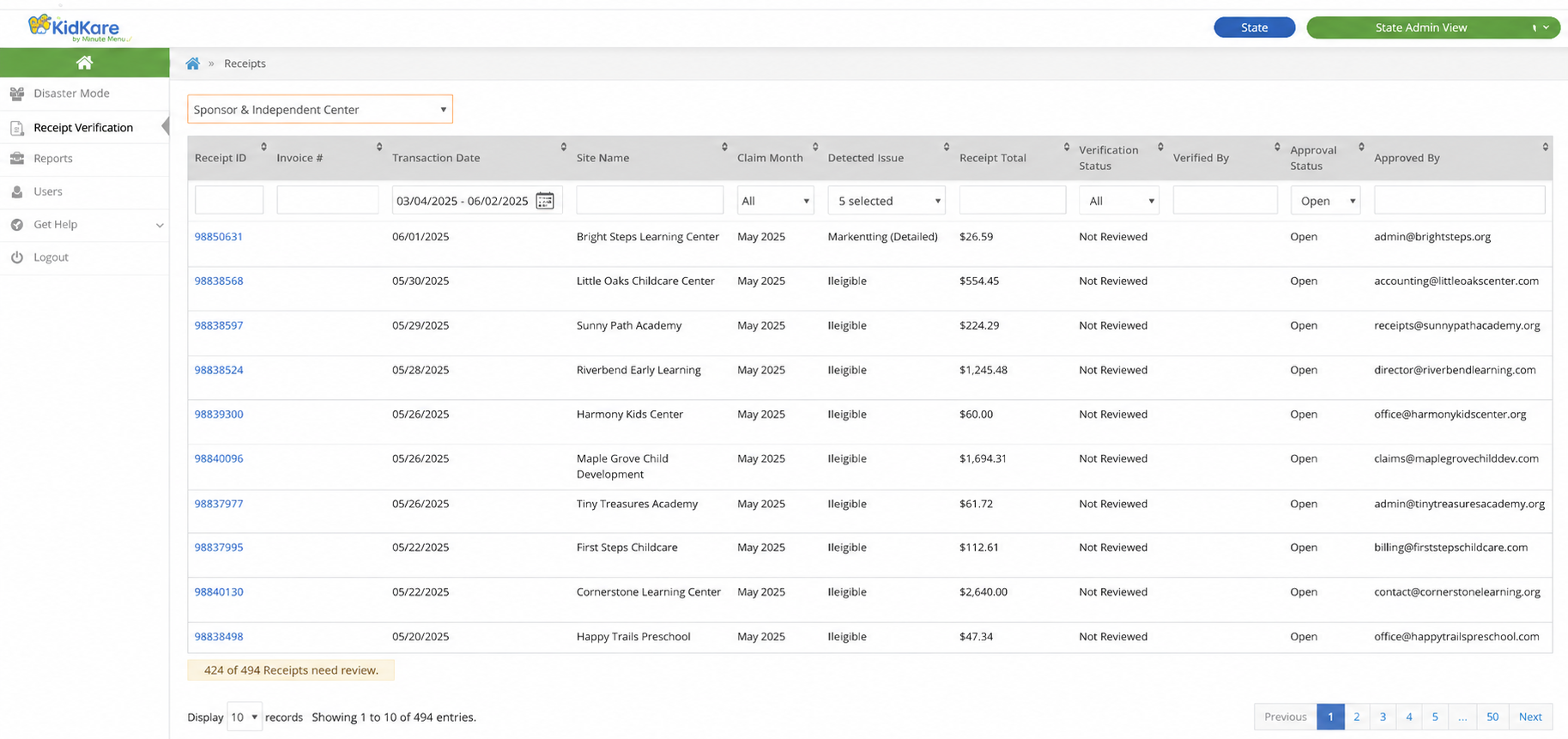
Review the receipts sites submit, right next to the claim data.
How CACFP receipt capture works
Sponsored centers and homes snap receipts in Parachute, tag each with a CACFP expense category, and sponsors review it in KidKare.
Snap the receipt
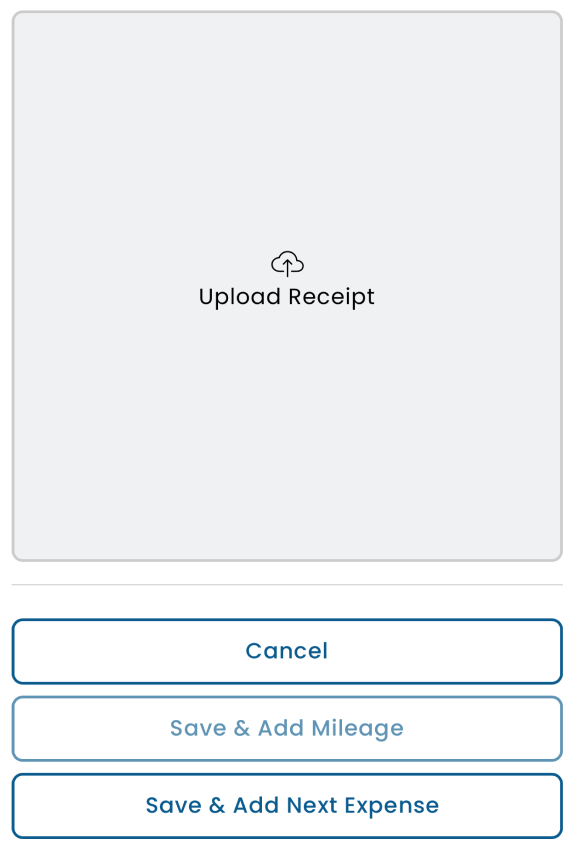
Take a photo or upload a receipt or invoice, then attach it to a CACFP expense record in Parachute.
KidKare fills in the details
It reads the dates, descriptions, quantities, prices and totals off the receipt, so nobody types them in. Milk purchases go to the milk audit in KidKare.

Ready for sponsor review
The expense record connects with KidKare, where the sponsor reviews the documentation. Sites don’t have to send receipts by hand.
How KidKare reads a CACFP receipt
Centers upload or snap a receipt by phone or tablet under Expenses → CACFP Expense in Parachute, and KidKare fills in the expense.
CACFP receipt history, from center to state
Late receipts still get in, and every step a receipt takes stays on the record.
Room for late receipts
A month that’s already claimed stays open for late receipts during a 30-, 60- or 90-day grace period. Late receipts are labeled, so on-time and late submissions are easy to tell apart.
Every change has a name
Each status change is time-stamped and tied to the person who made it. Sponsors and your team can’t edit or delete that history.
It follows the receipt
A receipt’s full history travels with it from the center, through the sponsor, to your team.
Receipts that show where CACFP funds go
Sponsors can check each receipt a site enters and confirm its expenses are in.
The Non-Profit Status Report draws on receipts to support each site’s non-profit status.
Sponsors can check that costs are allowable, like food purchases and food service supplies.
Sponsors can compare spending with the CACFP budget the site reported.
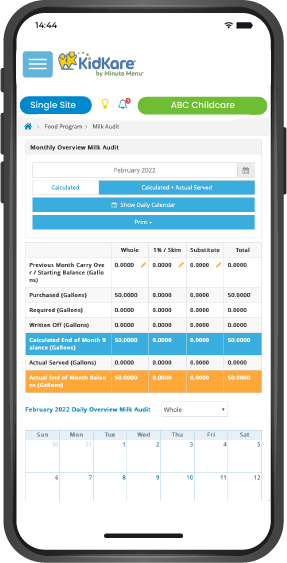
The milk calculator ties directly into the milk audit for accurate gallons-purchased reporting.
Expenses are visible to sponsors and your team.
Spot milk shortages before claims go in
Sponsors and centers run the milk audit on receipts and point-of-service meal data, and see what to fix before claims reach you.
Your team can open the milk audit tool at any point to check that milk purchased and milk served are well documented.
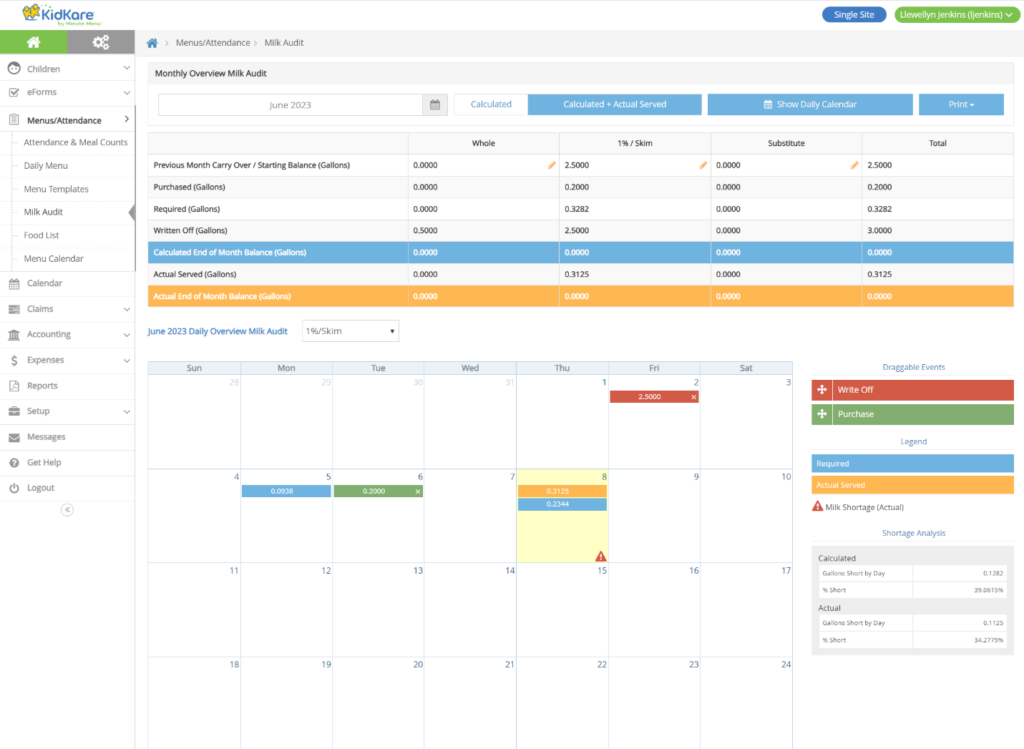
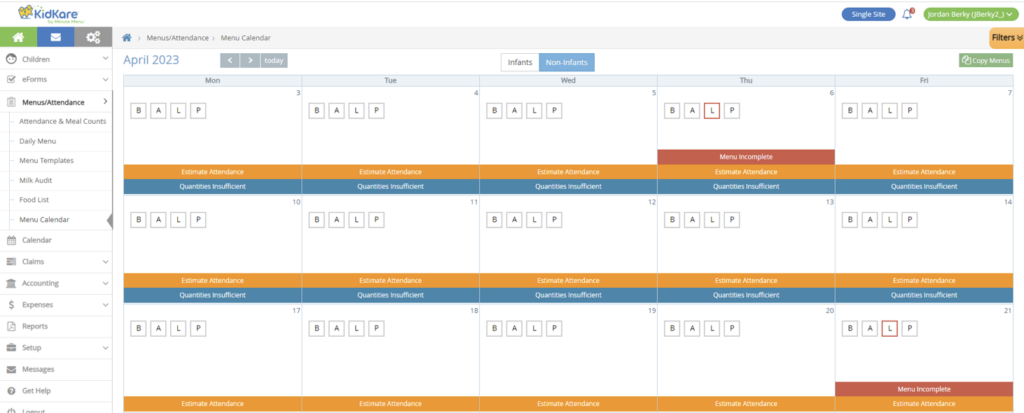
- Compares the milk purchased with the milk needed.
- Uses the same records as the CACFP claim: attendance, meal counts, menus and itemized receipt entry.
- Alerts when milk falls short, so more can be served to meet requirements.
- Accounts for milk allergies by tracking substitute milk quantities.
- Records spilled or spoiled milk as write-offs.
- Carries balances forward with carryovers from prior periods.
- Supports state-specific milk balance tracking and reporting.
- Flags potential shortages before they happen, and shows where staff need training.
With Parachute Receipt Capture, each milk line’s description, price and quantity goes straight into the milk balance, giving sponsors better visibility when reviewing documentation.
Trace CACFP spending from Parachute to KidKare
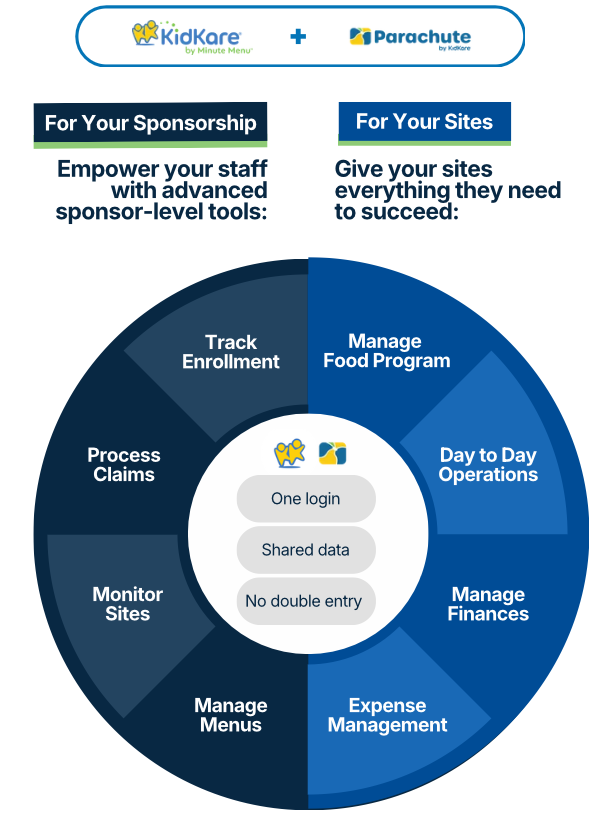
Sites log CACFP expenses in Parachute by KidKare, and they flow automatically into Food Program by KidKare, our CACFP software.
Tagged at the source
Each expense carries its CACFP category, and its documentation syncs to KidKare for sponsor review.
Milk tracked on its own
Milk purchases show up directly in each site’s milk audit.
Simpler financial monitoring
One login opens both: Parachute for the finances, Food Program for food program management. Monitoring and audits start from records already in KidKare.
See how Parachute Receipt Capture works
Try Receipt Capture yourself
Click through capturing a receipt, then verifying it as a sponsor. No login needed.
Capture a receipt
Verify receipts as a sponsor