Meeting Follow-Up

As a follow-up from our meeting, we have conducted a mock-up of bulk receipt entry functionality flow. We welcome any feedback, questions or concerns.

Smart Bulk Upload

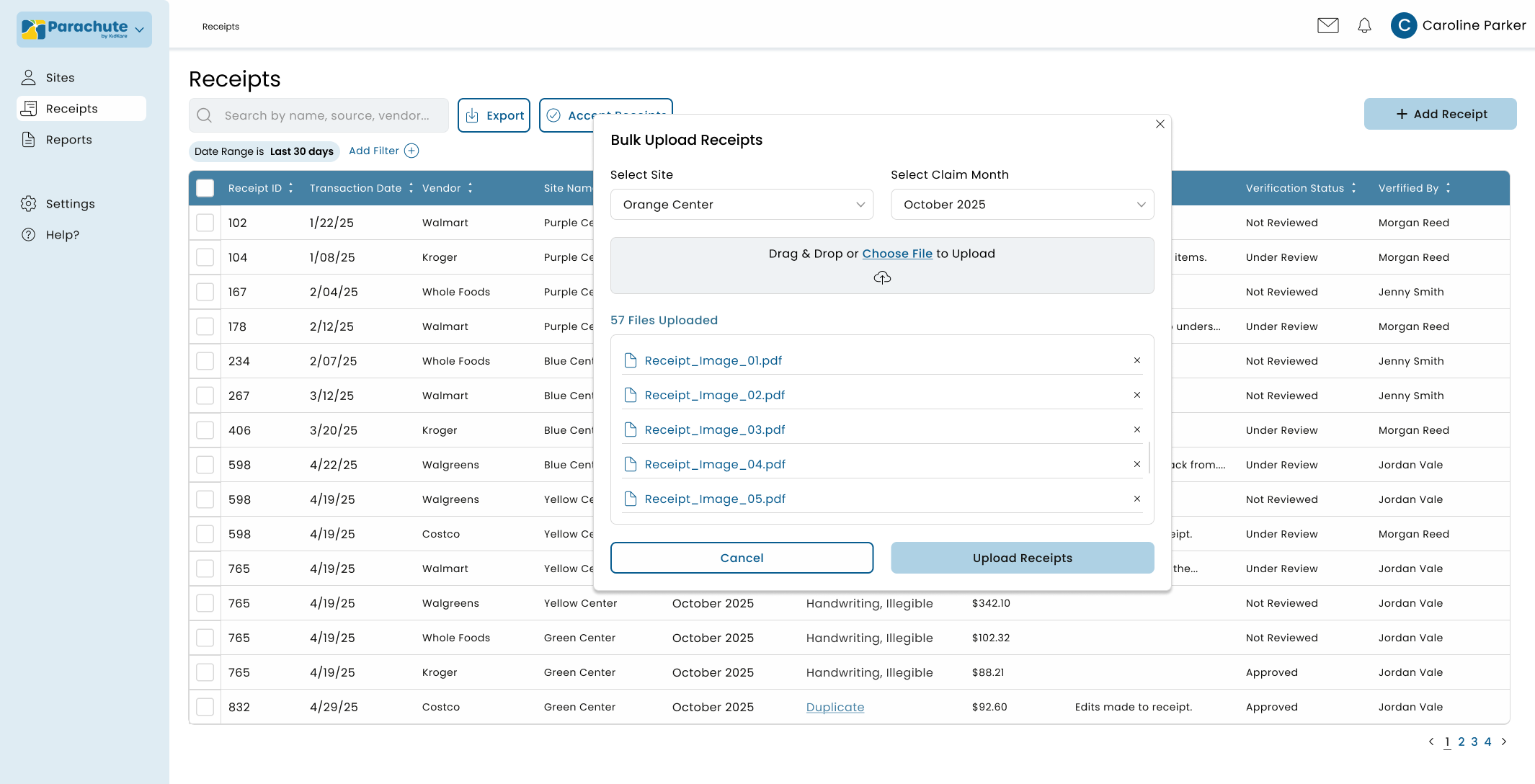
Upload receipt images directly into Parachute. Whether you receive 10 receipts or 100, the bulk scanner processes them simultaneously, converting physical documents into digital records without individual handling or sorting.

To view the complete image, simply click on it.

Automated Data Capture & Compliance

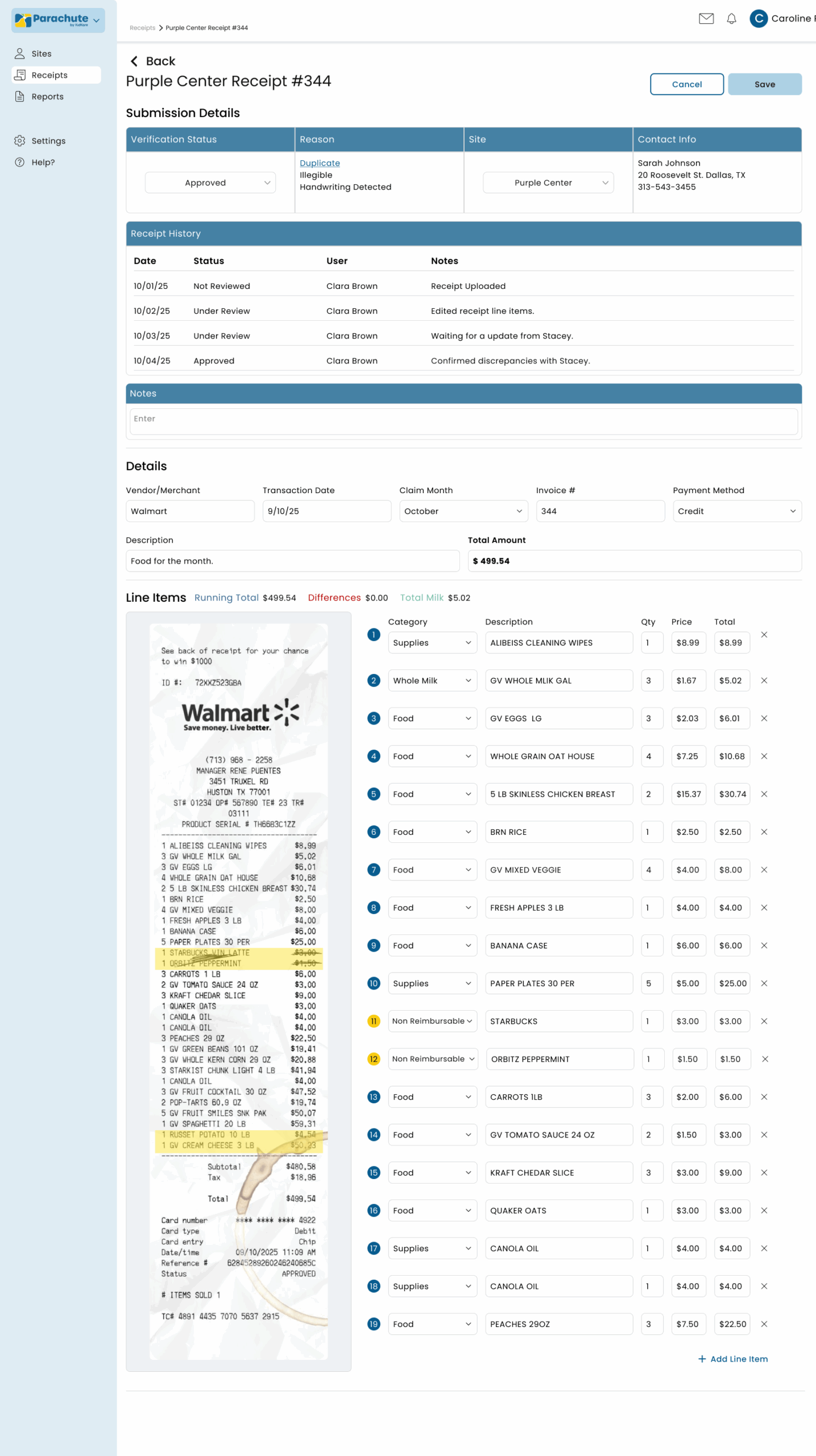
Parachute automatically reads each receipt, extracting critical information including dates, vendor names, amounts, and total amount. Claim month assignment ensures correct categorization. Plus, milk audit tracking updates milk balances automatically in Food Program side.

Your team maintains full oversight with the ability to select verification status, add site names and contact information, and access complete receipt history. A dedicated note section makes it simple to add comments and context for each receipt, giving you both automated efficiency and manual control when needed.

Organized Digital Storage

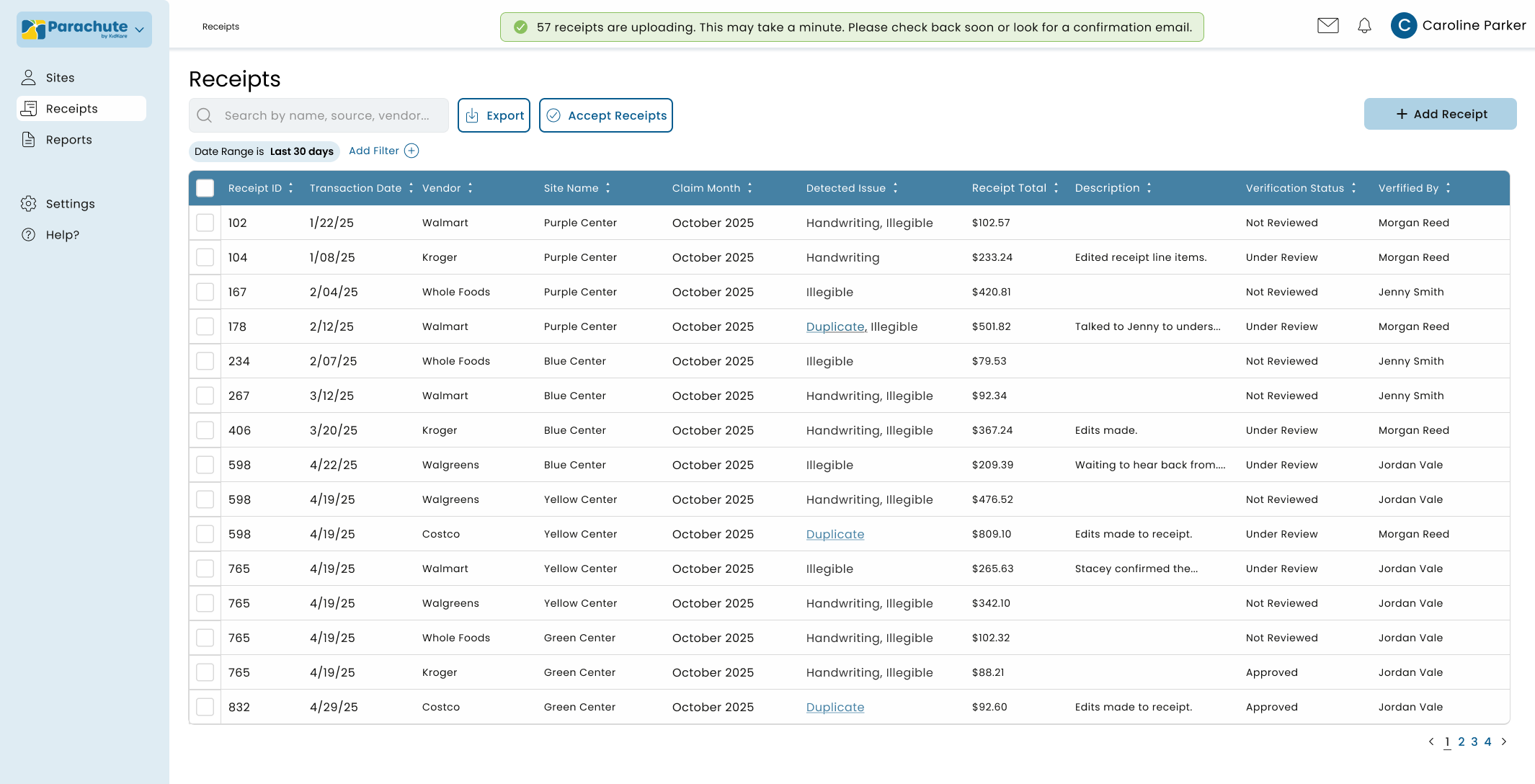
All receipts are categorized, tagged, and stored in a searchable database. Filter by transaction date, vendor names, amounts, detected issue, and site name. During audits, locate any receipt in seconds rather than searching through boxes of paper documents.

To view the complete image, simply click on it.

How Your Team Captures Receipts